
Install
Put Berkira on your home screen.
No Play Store or App Store needed. It takes under a minute, and Berkira then opens like an app.
- 1
Open Berkira in Chrome
Go to app.berkira.com on your phone. Use Chrome: other browsers may not show the install option.
Open app.berkira.com - 2
Open the menu
Tap the three dots at the top right, then Install app.
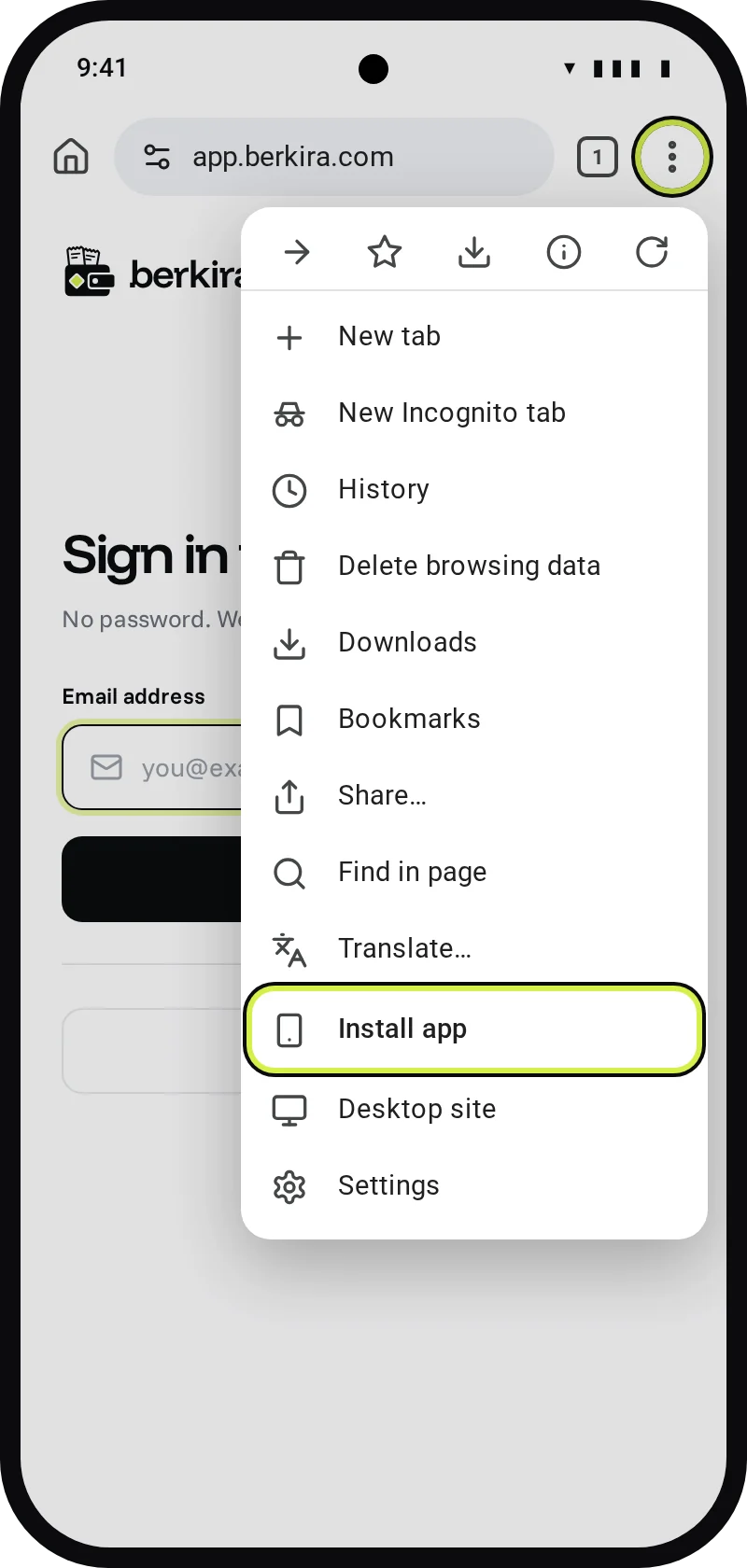
- 3
Tap Install
Chrome asks once. Tap Install.
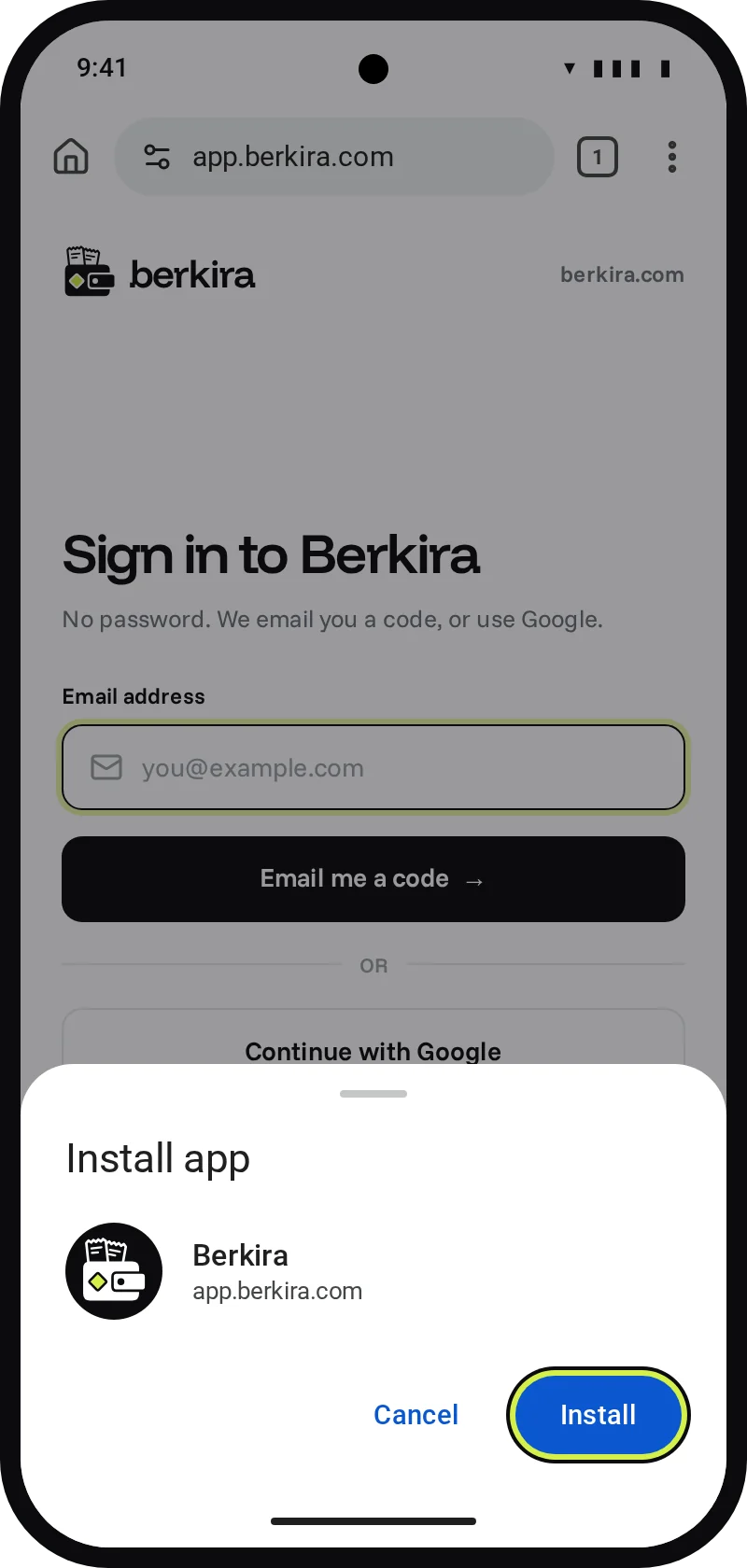
- 4
Open it from your home screen
Berkira now opens like an app, full screen.
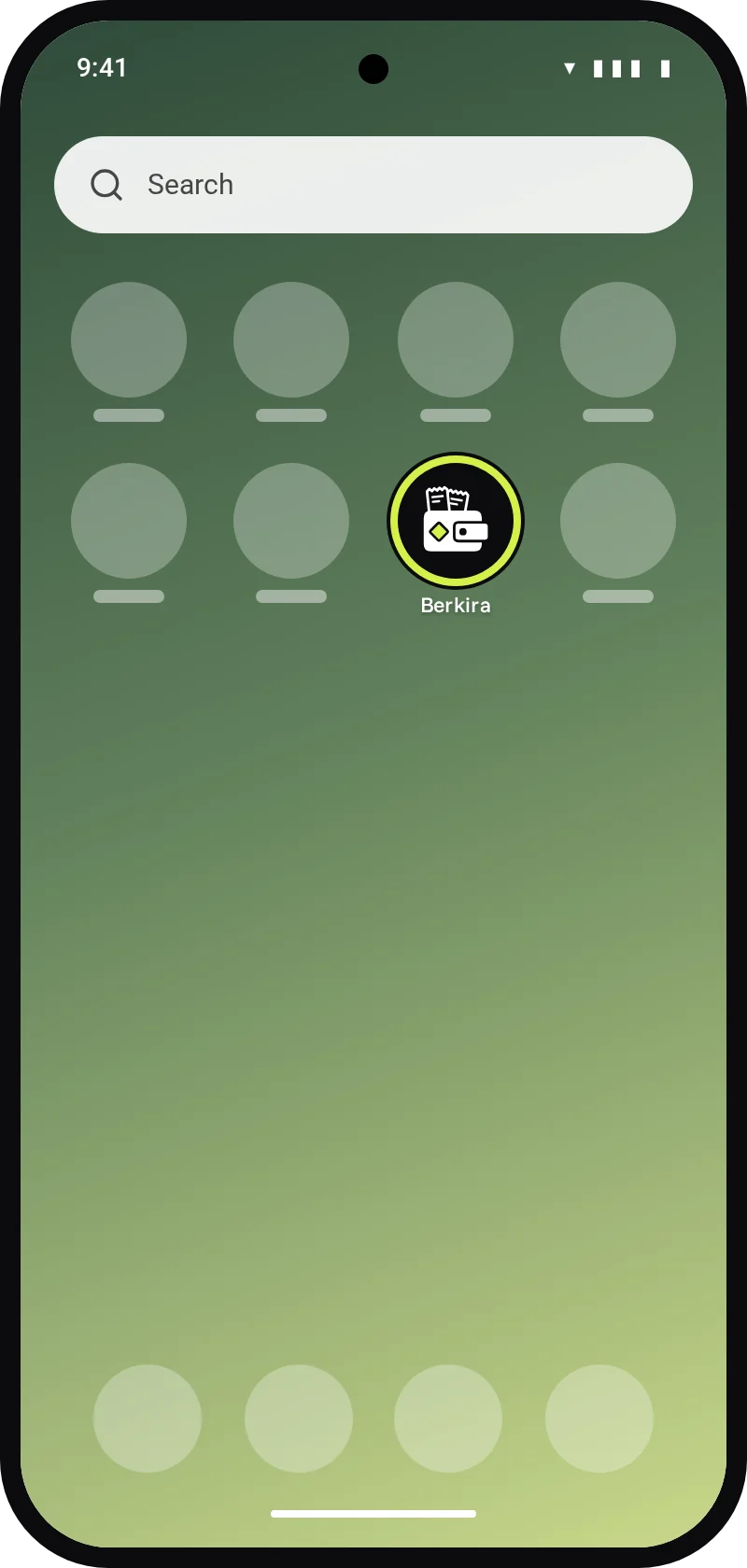
- No Install app in the menu? Tap Add to home screen, then Install.
The screens above are illustrations. Your phone’s menus may look a little different.